



Discover how website maintenance services boost site performance, strengthen security, and protect your business. Learn how to choose the right plan for growth.
Think of website maintenance services as the ongoing, essential tune-ups that keep your site running smoothly, securely, and quickly. This isn't just about fixing problems when they pop up; it’s the preventative care for your most important digital asset. It’s about making sure your site is always at its best, rather than waiting for it to break down.
What Are Website Maintenance Services, Really?
Imagine your website is a high-performance vehicle that powers your business around the clock. You wouldn’t just drive it until the engine seizes. You’d get regular oil changes, rotate the tires, and have a mechanic check things out. Neglect leads to breakdowns and expensive, unexpected repairs. Website maintenance services are the expert mechanics for your digital engine.
This is a proactive strategy, plain and simple. It’s an investment in keeping your digital storefront open, secure, and ready for every visitor, ensuring your online operations never grind to a halt.
Your Website Is a Working Asset
It’s crucial to stop seeing your website as a one-and-done project. Without regular upkeep, its value actively declines. Software goes out of date, links break, security holes emerge, and its speed slows to a crawl. These are the flashing warning lights on your dashboard, signaling a bigger failure is on the horizon that could shut down your entire digital operation.
Professional maintenance flips that script, turning a potential liability into an asset that consistently performs and delivers value.
A website without a maintenance plan is like a building with no janitor or security guard. It might look okay from the outside for a little while, but inside, risks are piling up and things are slowly falling apart. It’s becoming a less safe and less effective place to do business.
The Four Pillars of Website Upkeep
A solid maintenance plan really comes down to four critical pillars. Each one tackles a different, vital aspect of your site's health, and they all work together to make sure it remains a powerful business tool.
- Security Hardening: This is all about proactively finding and patching vulnerabilities. It involves constant monitoring for threats to protect your business data and, just as importantly, your customers' trust.
- Performance Tuning: A slow website kills conversions and hurts your search rankings. Performance tuning focuses on optimizing everything to make your site load faster. After all, studies show that 53% of mobile users will leave a page that takes more than three seconds to load.
- Software Updates: Your website's platform (like WordPress), along with all its plugins and themes, needs to be updated constantly. These updates provide new features, but more critically, they close security gaps that hackers actively look for.
- Data Backups: Things can and do go wrong. Regular, verified backups of your entire site are your safety net. If disaster strikes, you can restore your site quickly with minimal—if any—data loss.
Getting a handle on these components is the first step. The next is figuring out where your own site stands right now. A great starting point is learning how to do a website audit to pinpoint existing weaknesses. To get a wider view of what's available, you can also explore broader definitions of Maintenance services.
What Goes Into a Website Maintenance Plan? The Core Pillars
A comprehensive website maintenance service isn't just about running a few updates and calling it a day. It’s a set of distinct, connected activities designed to protect your digital storefront, keep your visitors happy, and ultimately support your business goals. Each pillar tackles a specific vulnerability or opportunity, all working together to keep your site a reliable, high-performing asset.
Think of it like the specialized crews that keep a commercial airliner flying. You have one team focused on engine performance, another on the structural integrity of the fuselage, and a third on the complex avionics and navigation systems. They all have different jobs, but they share the same goal: a safe, efficient flight. Website maintenance works the same way.
This map breaks down the central pillars, showing how security, performance, and data integrity are all critical components branching out from your core website.
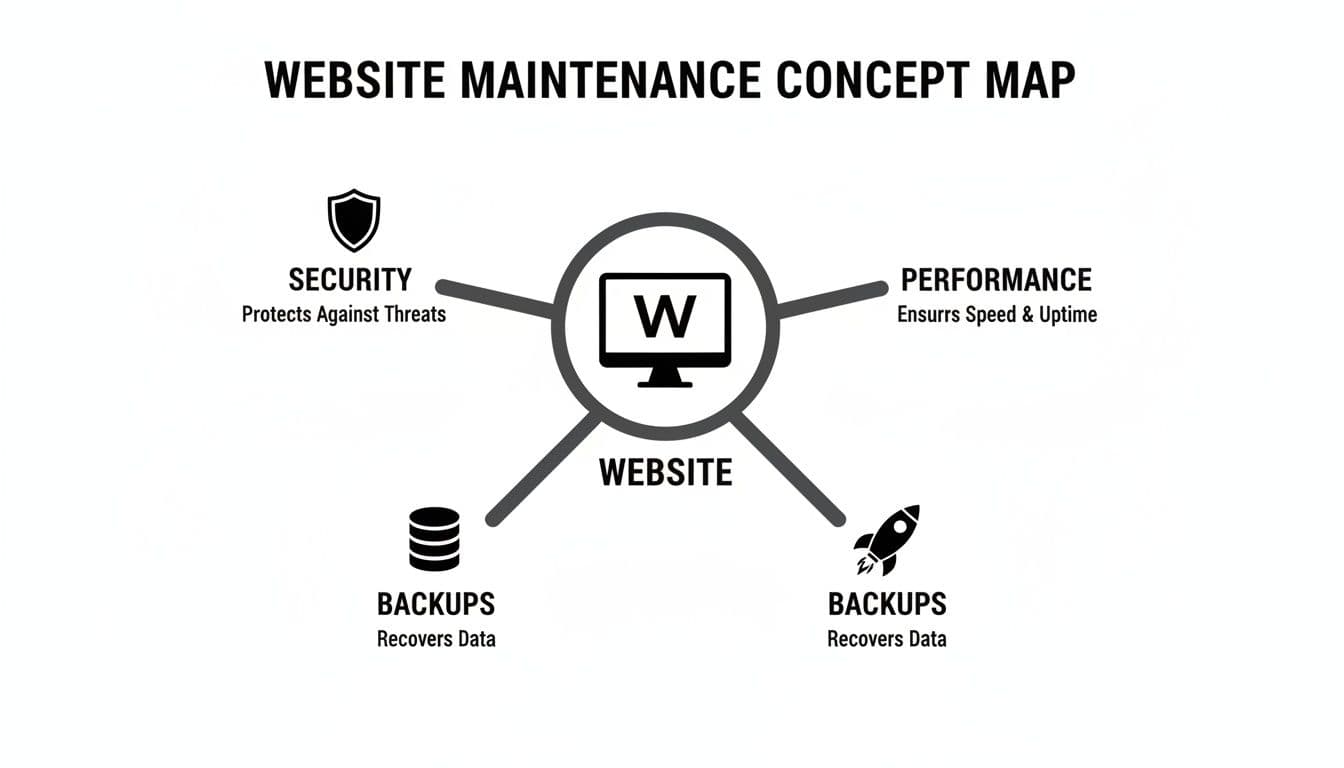
It’s clear that a solid maintenance strategy isn't one-dimensional. It requires a balanced approach that handles proactive defense, speed optimization, and disaster recovery all at once.
Proactive Security and Software Updates
Security isn't a one-and-done setup; it's a constant process of vigilance. With cyberattacks growing more common and sophisticated by the day, simply reacting to problems is no longer good enough. Proactive security monitoring is your first line of defense, actively hunting for threats before they can do real damage.
This involves a few key actions:
- Managed Firewalls: A good web application firewall (WAF) acts as a bouncer for your website, filtering out malicious traffic before it ever gets to the front door.
- Intrusion Detection: These systems constantly scan for suspicious activity or patterns that signal a potential breach, enabling an immediate response.
- Regular Software Updates: Outdated software, plugins, and themes are the low-hanging fruit for hackers. Consistent updates patch these security holes as soon as fixes are available, effectively locking the door on known threats.
Considering that 43% of cyberattacks target web applications, it's no surprise that managed security services are in high demand. For any B2B company, a single breach can destroy years of customer trust and lead to staggering financial losses.
Performance Optimization and Monitoring
How fast your website loads and whether it's actually online directly impacts your revenue and reputation. In today's market, users have zero patience for slow or broken sites. Performance optimization is the nitty-gritty technical work needed to make sure your site is fast, responsive, and always available.
A core piece of this is uptime monitoring. Automated tools check your website every few minutes from different locations across the globe. If the site goes down, your maintenance team gets an instant alert to start diagnostics and get things back online, minimizing costly downtime.
A delay of just 100 milliseconds in load time can cause conversion rates to drop by 7%. For an e-commerce or lead generation site, this tiny lag can translate into thousands of dollars in lost revenue.
Beyond just staying online, performance tuning gets deep into the technical weeds. This can include optimizing databases to fetch information faster, compressing images to reduce page weight, and minifying code to trim every last millisecond. These efforts are crucial for improving the user experience and satisfying search engine ranking factors like Core Web Vitals.
Verified Backups and Disaster Recovery
Even with the best security in the world, things can still go wrong. A server can fail, a software bug can bring everything crashing down, or a determined hacker might find a way in. This is where a rock-solid backup and disaster recovery plan becomes your most valuable asset.
But a real backup strategy is more than just clicking "save." A professional service ensures your backups are:
- Automated: They happen on a regular schedule, no human intervention required.
- Off-site: They’re stored in a completely separate, secure location so they won't be compromised by whatever took down your main server.
- Verified: Someone regularly tests them to make sure the data is intact and can actually be restored. An untested backup is just a hope, not a plan.
Without verified backups, you’re flying without a parachute. A good recovery plan ensures that if the worst happens, you can get back online quickly with minimal data loss, keeping your business running. To stay on top of everything, it helps to follow an ultimate website maintenance checklist that organizes all the moving parts of a complete strategy.
Figuring Out the Right Pricing Model
Choosing a website maintenance plan isn't just a technical decision—it's a financial one. You have to find a model that fits your budget, your team's workflow, and how much support you'll actually need. The way you pay directly shapes your relationship with the provider, influencing everything from how you ask for help to how quickly they respond.
Getting this right means no surprise bills and having an expert ready when you need them most. It’s about finding a rhythm that works for your business.
Monthly Retainers: Predictable and Proactive
The most common approach is the monthly retainer. You pay a set fee every month for a specific block of hours and a defined list of services, like security scans and software updates. It’s like having a dedicated tech team on call, but without the full-time overhead.
This model is perfect for businesses that need consistent, proactive care. The biggest advantage here is budget predictability. You know exactly what you’re spending each month, which makes financial planning a whole lot easier. Providers also tend to prioritize their retainer clients, so you often get faster service and better value overall.
Pay-As-You-Go: Ultimate Flexibility
If you prefer to pay only for what you use, the pay-as-you-go model (often just billed hourly) offers that flexibility. This can be a great fit for businesses with simpler sites or very infrequent needs. If you only expect to need a hand with a minor update or a quick fix every few months, this approach lets you avoid a recurring monthly fee.
The trade-off, however, is a lack of predictability. A single, unexpected emergency—like a hacked site or a major plugin failure—can quickly turn into a massive, unplanned expense. You might also find yourself at the back of the line for support, as agencies usually give first priority to clients on retainer.
A Service Level Agreement (SLA) is the rulebook for your partnership. It's a formal document that defines the provider's commitments on crucial metrics like uptime guarantees, response times for support tickets, and the specific scope of included services. It transforms vague promises into measurable, enforceable standards.
Fixed-Price Packages: For Defined Projects
Sometimes, you don't need ongoing help, but a specific, one-time project. That’s where fixed-price packages come in. This is the way to go for things like a deep-dive security audit, a major performance overhaul, or a one-off migration. You agree on a clear scope of work and a single price tag before anything starts.
This model gives you complete cost certainty for that specific task. There’s no risk of hourly rates getting out of hand, and the deliverables are crystal clear from the get-go. While it’s less about continuous maintenance, it's an excellent way to tackle targeted improvements to your site's health.
To get a better sense of what these look like in the real world, you can check out different website maintenance pricing options and see how they're structured.
No matter which model you lean towards, the Service Level Agreement (SLA) is the document that holds it all together. It’s what turns a provider’s promises into concrete commitments, like guaranteeing 99.9% uptime or a two-hour response time for emergencies. The SLA ensures everyone is on the same page.
Comparing Website Maintenance Pricing Models
This table breaks down the common pricing structures for website maintenance services to help you choose the best fit for your business needs and budget.
Ultimately, the best model depends entirely on your situation. A growing e-commerce store with constant updates will benefit from a retainer, while a simple portfolio site might only need pay-as-you-go support.
How to Choose the Right Maintenance Partner
Picking a website maintenance provider isn't just another line item in your budget—it's a strategic partnership. This decision directly impacts your digital stability and your ability to grow. The right partner is a guardian for your most valuable digital asset. The wrong one? They can open the door to costly downtime, security nightmares, and missed opportunities. This calls for a structured, thoughtful approach, not a quick scan of pricing pages.
Your evaluation has to go much deeper than a simple cost comparison. Think of it like hiring a key employee. You're assessing their technical chops, their communication style, and whether they truly understand your business goals. After all, you’re about to hand them the keys to your digital kingdom.

Evaluating Technical Proficiency and Experience
First things first: you need to rigorously vet their technical capabilities. A slick website and a smooth sales pitch don't guarantee expertise. You need solid proof they can handle the specific technology your site is built on, whether that’s a common platform like WordPress or a complex, custom-coded application.
Start by digging into their portfolio. Look for clients in your industry or businesses with similar technical needs. Don’t be shy about asking for case studies or references that show how they've solved real problems, like recovering from a security breach or engineering a major performance boost. Their track record is the single best indicator of their real-world competence.
Consider the stakes. With global online sales hitting 6.3 trillion**, e-commerce is a huge driver for maintenance services. In high-pressure sectors like retail and finance, downtime costs businesses an estimated **42 billion every year. A provider with proven experience in these demanding environments will have the battle-tested processes needed to protect your revenue and reputation. Discover more insights about these market trends.
Assessing Communication and Reporting Protocols
Technical skill is only half the battle. The other, equally important half, is clear and consistent communication. A great maintenance partner keeps you in the loop with transparent reports and makes it easy to see the value they’re providing. Without that, you’re flying blind, completely in the dark about the health of your own website.
A provider's communication process is a direct reflection of their organizational maturity. If getting a clear answer is difficult during the sales process, imagine how challenging it will be during a site-down emergency at 2 a.m.
Before you sign anything, get crystal clear on how they manage communication. Do they use a ticketing system? A shared Slack channel? Will you have a dedicated point of contact? Nailing down these details is essential for building a smooth working relationship and ensuring accountability when it matters most.
Critical Questions to Ask Potential Providers
To get past the marketing fluff and see what a provider is really made of, you need to ask pointed questions. A well-prepared team will have confident, straightforward answers. If you get vague replies or hesitation, that’s a major red flag.
Here's a checklist of foundational questions to guide your conversations:
- Emergency Response: "Walk me through your exact process for a site-down emergency. From the moment you're alerted to the final resolution, what happens?"
- Security Procedures: "How do you document and report on security patches and software updates? And what’s your protocol if you discover a new vulnerability?"
- Backup Verification: "Describe your backup process. How often do you run them, where are they stored, and how do you actually verify they are viable for a restore?"
- Scope and Escalation: "What specific tasks are included in our plan? What triggers an out-of-scope, billable request? And what is your escalation path for unresolved issues?"
- Performance Metrics: "Which key performance indicators do you monitor, and how will you report on improvements to our site speed and uptime?"
Finding a partner who is technically brilliant is crucial, but finding one that also aligns with your broader visibility goals is a game-changer. Many businesses find their maintenance and SEO efforts are deeply connected. It’s often worthwhile to see how the best SEO agencies in the USA bundle and structure their technical services.
Calculating the ROI of Professional Maintenance
It's easy to look at professional website maintenance as just another line item on the expense sheet. But that's a mistake. The reality is, it's an investment in protecting your revenue and giving your business room to grow.
To really see the value, you have to shift your perspective from "cost" to "investment." This means tying all those behind-the-scenes maintenance tasks—the updates, the security checks, the backups—to real, tangible business results. The return on investment isn't just about what you prevent; it's about what you preserve and what you enable.
The Real Cost of Doing Nothing
Sometimes, the clearest way to see the value of something is to imagine life without it. What happens if you don't have a maintenance plan? The most immediate pain point is downtime.
When your website goes down, you're not just losing sales for a few hours. You're bleeding customer trust and chipping away at your brand's reputation, and that damage lingers long after the site is back online.
Even small outages add up fast. On a global scale, major downtime incidents can cost businesses up to $5,600 per minute. This staggering figure is why the website maintenance market is expected to hit USD 9.82 billion by 2033—companies are realizing it’s far cheaper to pay for prevention than for a cure. Learn more about the growth of the maintenance market.
Think of it this way: If your site brings in 500,000 a year, that's about 57 every hour. A single four-hour outage means you've lost over $228 in direct revenue. And that doesn't even touch on the long-term hit to your credibility or the potential drop in your search engine rankings.
How Performance Translates Directly to Profit
Beyond just keeping the lights on, proactive maintenance creates measurable gains that fatten your bottom line. Things like conversion rates and lead quality are directly tied to your site's health.
Shaving even a fraction of a second off your page load time can have a surprisingly big impact on how people behave and, ultimately, whether they buy.
- Higher Conversion Rates: A snappy, reliable website makes for a smooth user experience, which is critical for guiding visitors toward a purchase or inquiry. A site that loads in one second sees a conversion rate almost three times higher than one that takes five seconds to load.
- Better Lead Quality: A professionally maintained site looks and feels trustworthy. When visitors feel confident, they're more willing to provide their information and engage with you, leading to higher-quality leads for your sales team.
- Lower Customer Acquisition Costs: A technically sound website is a happy website in the eyes of Google. Better performance leads to better organic search rankings, which means more qualified traffic finds you without you having to pay for every click.
A Simple Framework for Calculating Your Return
Ready to put some numbers to this? You can start estimating your potential ROI with a few key questions. The goal is to compare the potential costs of failure with the potential gains from optimization.
- What’s our estimated hourly cost of downtime? (Take your annual online revenue and divide it by 8,760 hours).
- What’s the average financial hit of a single security breach in our industry?
- What would a 1% lift in our website's conversion rate translate to in monthly revenue?
- How much could we save on paid ads if we got a 10% bump in organic traffic?
Answering these questions helps turn the abstract idea of "maintenance" into a solid business case. For a more granular look, you can use specialized tools that help you calculate your specific ROI and payback period for digital projects.
When you frame it this way, it becomes clear that professional website maintenance isn't a cost center—it's a foundational part of any sustainable growth strategy.
Integrating Maintenance into Your Business Operations
You've picked a maintenance partner and signed the contract. Great. But that's just the starting line. The real win comes when you weave their services so seamlessly into your day-to-day operations that they feel like an extension of your own team.
Getting this right turns a simple vendor relationship into a genuine strategic partnership. It’s all about building clear communication pathways and setting expectations from the get-go. If you skip this step, you're setting yourself up for friction, delays, and a disappointing ROI. The goal is a system where collaboration feels natural and productive, right from day one.
Establish Clear Communication Channels
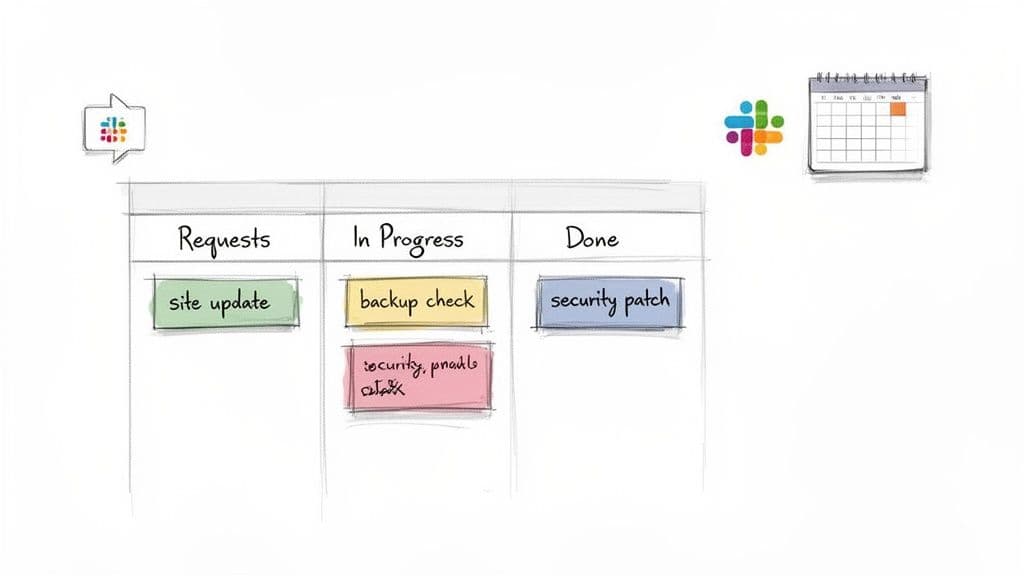
If you're relying on a messy web of emails and phone calls, you're doing it wrong. That approach is a recipe for confusion and lost requests. Instead, you need a central hub—a single source of truth where every task, update, and conversation lives.
This ensures nothing gets lost and everyone is on the same page. Think about what works best for your team's culture:
- A Dedicated Project Board: Visual tools like Trello, Asana, or Jira are perfect for tracking tasks. A simple board with columns for "To Do," "In Progress," and "Done" gives your team instant clarity on where every request stands.
- A Shared Slack Channel: For quick questions and urgent updates, a dedicated channel (like
#website-maintenance) is invaluable. It keeps conversations focused and prevents important alerts from getting buried in a sea of emails.
Define Roles and Responsibilities
Ambiguity is the silent killer of productivity. To avoid dropped balls and crossed wires, you need to map out precisely who does what—both on your internal team and with your maintenance provider.
A simple responsibility matrix can work wonders here. For example, your marketing team might own the content creation, but the maintenance partner is responsible for the technical side of uploading, formatting, and publishing it. This clear division of labor eliminates confusion and streamlines the entire workflow.
Think of a well-defined workflow as a shared playbook. When a critical bug ticket comes in at 10 PM, there should be zero guesswork about who's on call, what the escalation path is, or how the fix will be communicated.
Create a Streamlined Request Process
Your team needs a dead-simple way to submit requests, whether it’s a minor copy edit or a major bug report. A standardized process guarantees your provider gets all the necessary information upfront, cutting down on the back-and-forth that kills momentum.
A solid submission process should have three key elements:
- A Standardized Form: Use a simple form to capture the essentials: request type (bug fix, content update), a clear description, the affected URL, and the urgency level.
- Clear Priority Levels: Everyone needs to agree on what constitutes "low," "medium," or "high" priority. A broken contact form is an urgent fix; a typo on an old blog post can wait.
- Acknowledgement and Timelines: The process isn't complete until the provider confirms they've received the ticket and gives an estimated timeline for completion, right in line with your Service Level Agreement (SLA).
By taking the time to build these operational bridges, you’re not just hiring a vendor; you're integrating a specialist team. This proactive approach is what unlocks the full value of professional website maintenance and builds a partnership that lasts.
Frequently Asked Questions
Even after you've got the basics down, a few practical questions always pop up when it's time to actually pull the trigger on a website maintenance plan. We'll tackle the most common ones we hear from business leaders to clear up any lingering confusion.
Think of this as the final checklist to run through, making sure you feel completely confident in the partner and plan you choose.
Can I Handle Website Maintenance Myself?
The short answer is yes, you can, especially if your site is very basic. But the better question is, should you? Website maintenance is so much more than just clicking the "update" button.
What happens when an update breaks your site? Do you know how to properly configure security rules or diagnose a sudden slowdown? DIY maintenance means you're not just the business owner; you're also the on-call IT person. For most businesses, outsourcing to a team that handles this stuff day-in and day-out is simply a smarter, more reliable use of resources. It lets you focus on your actual job.
What Does a Typical Maintenance Plan Include?
While every provider packages their services a bit differently, any worthwhile website maintenance services plan will have a few core components that are absolutely non-negotiable. These are the fundamentals that keep your site healthy and secure.
At a bare minimum, you should be looking for:
- Regular Backups: This means automated, off-site backups that are regularly tested. If your site goes down, you need a proven way to get it back online, fast.
- Software Updates: Timely updates to your website's core system (like WordPress), along with all its plugins and themes. This is your first line of defense against security holes.
- Security Monitoring: Proactive scans for malware, blacklist monitoring, and watching for any unusual activity.
- Performance Checks: Consistent monitoring of your site's speed and uptime. A slow or unavailable site costs you customers.
- Basic Support: A set amount of time or a number of support tickets for small fixes, content edits, or just to ask a question.
A good maintenance plan is all about proactive prevention, not just reactive fixes. The goal is to solve problems before they ever affect your visitors, your brand's reputation, or your bottom line.
How Much Should I Expect to Pay?
This is the classic "it depends" answer, but for good reason. Website maintenance costs can swing from less than $100 a month to several thousand, and the price is tied directly to your site's complexity and the level of support you need.
A simple brochure-style website is going to be on the lower end of that spectrum. A sprawling e-commerce store with custom integrations, on the other hand, demands a much more significant investment. The trick is to find a plan that makes sense for your site's specific technology and your company's budget, so you're not paying for features you'll never use.
A well-maintained website is the bedrock of your digital presence. As AI-driven search becomes the norm, ensuring your brand is not just present but prominent is critical. Attensira gives you the clarity you need to track and improve how your brand shows up in AI search, putting you a step ahead of the competition. Discover how your brand appears in AI today.


