



Learn how to do a website audit with our practical guide. We cover technical SEO, content strategy, UX, and AI visibility to fuel real B2B performance.
A website audit is more than just running a tool and exporting a list of errors. It's a deep, systematic look at your site’s performance, technical integrity, content, and user experience to find exactly where you can make improvements that matter. The whole process really boils down to three things: setting clear goals, using the right tools to get the data, and then building a smart, prioritized action plan from what you find. This is how you make sure your website is actually pulling its weight and helping you hit your business goals.
Setting The Stage For A Strategic Website Audit
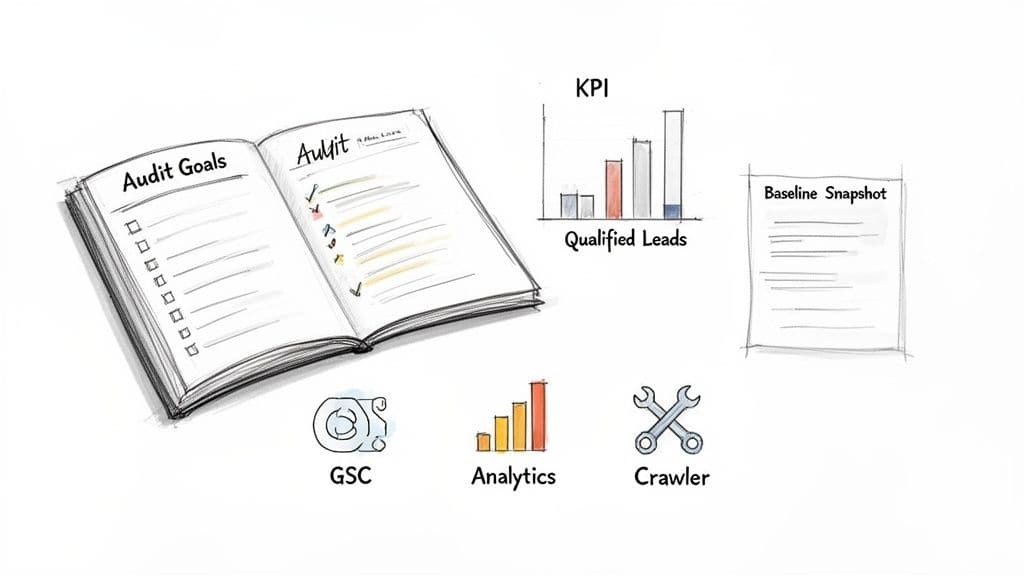
Before you run a single crawler or even open a spreadsheet, you need a strategy. I've seen too many teams dive straight into technical checks without a clear purpose, and it's a classic case of being busy but not productive. It’s like sailing without a map. You need to move beyond a simple list of broken links and create a roadmap that directly fuels business growth.
This initial phase is all about defining what "success" actually means for your B2B company. Are you trying to generate more qualified marketing leads? Or is the main goal to position your brand as the go-to expert in your industry with top-tier content? Your answer will shape the entire audit that follows.
Defining Your Core Objectives and KPIs
Your audit goals have to be specific, measurable, and tied directly to real business outcomes. A vague goal like "improve SEO" is useless because it’s not actionable. Instead, you want to focus on clear targets that line up with your marketing and sales funnels.
Here are a few examples of what I mean by strong B2B audit objectives:
- Increase organic demo requests by fixing conversion paths on key service pages.
- Boost organic traffic to solution pages by finding and filling critical content gaps.
- Improve user engagement on the blog to build brand authority and attract top-of-funnel prospects.
Once you have your objectives, you translate them into specific Key Performance Indicators (KPIs). For instance, if your goal is to get more demo requests, your KPIs would be things like conversion rate, the number of form submissions, and your rankings for bottom-funnel keywords. These metrics become your yardstick for success. This kind of strategic thinking is the foundation of effective SEO for B2B enterprises, as it connects the technical work to activities that generate revenue.
Your Essential B2B Website Audit Toolkit
Having the right tools is non-negotiable for a thorough audit. Each tool serves a different purpose, from crawling your site's structure to analyzing user behavior. Here’s a breakdown of the toolkit I recommend for B2B teams.
This combination gives you a 360-degree view, ensuring no stone is left unturned. While some tools have overlapping features, they each bring a unique strength to the table.
Establishing a Performance Baseline
You can't measure improvement if you don't know where you started. That's why establishing a performance baseline is such a critical first step—it’s a snapshot of your site's current health. This data-driven foundation is essential for tracking progress and, just as importantly, for showing the ROI of your work to stakeholders down the line.
A baseline isn’t just a collection of metrics; it’s the definitive "before" picture. It provides the context needed to justify resource allocation and prove that the changes you implement are delivering real value.
Your baseline should capture key data points across a few core areas:
- Organic Traffic and Rankings: Pull data from Google Analytics and Google Search Console on overall organic sessions, your top-performing pages, and where you currently rank for target keywords.
- Technical Health: Use a crawler like Screaming Frog to get a hard count of 404 errors, redirect chains, and any indexability problems.
- Site Speed: Run reports with Google PageSpeed Insights to document your Core Web Vitals (LCP, INP, CLS) for your most important pages.
In the B2B world, this groundwork is especially crucial. Organic search drives a massive 53% of all website traffic, making it the dominant channel for getting in front of potential customers. What's more, SEO-optimized sites can generate 761% more leads year-over-year, proving that a well-executed audit can deliver a serious return.
Uncovering Your Technical SEO Health
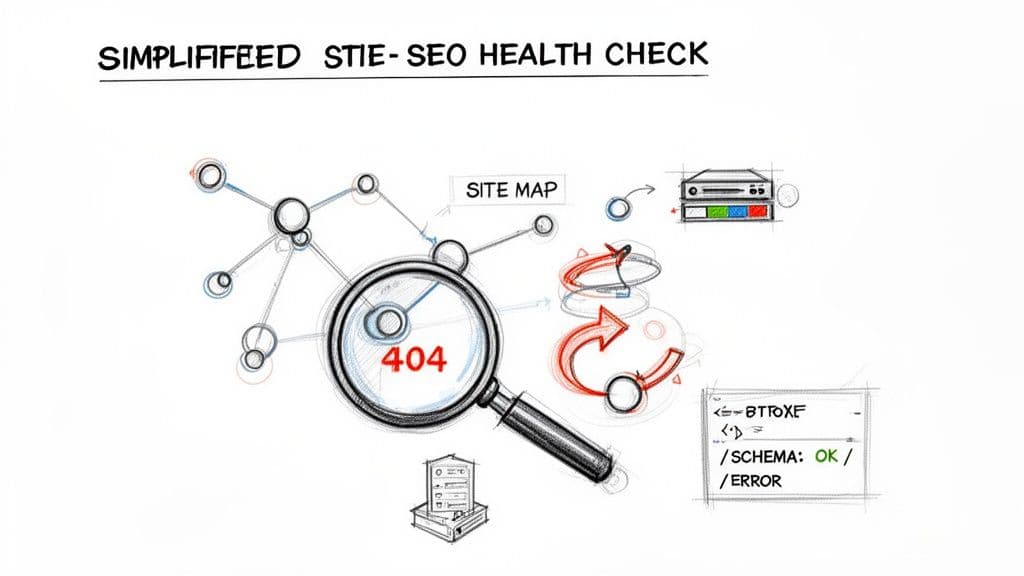
Let's start where it all begins: the technical foundation. Think of it as the plumbing and wiring of your website. Without a solid technical setup, even the most brilliant content strategy won't perform. This is the invisible framework that lets search engines find, understand, and ultimately rank your pages.
In this part of the audit, we're going past the surface-level stuff. We need to get our hands dirty and diagnose the core technical health that dictates your organic visibility. The main goal here is simple: find and eliminate anything that's stopping search engine crawlers from easily accessing and indexing your most important pages.
Launching a Deep Crawl Analysis
First things first, you need to see your website the way a search engine does. The best way to do that is with a crawling tool like Screaming Frog or Sitebulb. These tools systematically go through every page, image, and file on your site, creating a complete map of your digital footprint. This process almost immediately highlights a ton of potential issues you’d never spot just by browsing.
As the crawl runs, you're on the hunt for specific red flags:
- HTTP Status Code Errors: Keep a sharp eye out for 404 (Not Found) errors. They’re dead ends for both users and bots. Also, look for 5xx (Server Error) codes, which point to much more serious problems on the server side.
- Redirect Chains: A single 301 redirect from an old page to a new one is standard practice. But when you have multiple redirects daisy-chained together (Page A redirects to B, which redirects to C), you're just wasting crawl budget and potentially weakening your link equity.
- Non-Indexable Pages: You'd be surprised how often crucial pages are accidentally blocked with a
noindextag or via therobots.txtfile. This basically makes them invisible to Google.
This initial crawl gives you a fantastic diagnostic report. If you really want to level up, you can supplement this data by analyzing your log files. This gives you a direct record of how Googlebot actually interacts with your site, not just a simulation.
Dissecting Your Site Architecture
A clean, logical site architecture isn't just nice to have; it's essential for users and search engines. It determines how easily people find your content and how authority, or link equity, flows through your domain. A messy structure can bury your most important pages so deep that crawlers struggle to find them.
A good rule of thumb I always go back to is the three-click rule: can a user get from your homepage to any important page in three clicks or less?
When you’re looking at your architecture, focus on these areas:
- Crawl Depth: How many clicks does it take to get to your key service or solution pages? If it's more than three or four, they might be too deep.
- Internal Linking: Are your strongest pages linking to your newer or less-trafficked content? A smart internal linking strategy helps spread authority. A lack of it creates "orphan pages" that are completely disconnected.
- URL Structure: Are your URLs clean and descriptive? Or are they long, messy, and full of parameters? Keep them simple for both users and search engines to understand.
A well-organized site acts like a well-organized library. Clear signage (navigation) and a logical layout (architecture) help visitors—and search engine bots—find exactly what they need without getting lost in the stacks.
This analysis helps you map out a more efficient structure that puts your most valuable content front and center. By improving internal links and flattening your site's hierarchy, you make it much easier for Google to figure out which pages matter most.
Validating Structured Data Implementation
Structured data, often called Schema markup, is your chance to spoon-feed search engines context about your content. It’s the code behind the curtain that powers rich results—think FAQ snippets, review stars, and event details—right in the search results. These make your listings pop and can seriously boost clicks.
But here’s the catch: if your Schema is implemented incorrectly, it can cause problems or simply be ignored. That’s why validating it is a crucial step in any technical audit.
You can use Google's Rich Results Test to check individual URLs for any errors. For a site-wide view, your crawling tool can pull all the Schema from your site and help you spot common mistakes.
Look out for these classic implementation problems:
- Syntax Errors: Simple typos or formatting mistakes can make the entire markup invalid.
- Incorrect Schema Type: For instance, using
Articleschema on a product page doesn't make sense. - Missing Properties: Failing to include recommended or required fields for a specific Schema type can stop your rich results from showing up at all.
For example, a B2B software company should be using SoftwareApplication schema on its product pages. If key properties like operatingSystem or applicationCategory are missing, Google might not fully grasp the page's purpose. This could cost you a valuable, eye-catching spot in the search results. Fixing these errors is often a quick win that can directly improve how you look on the SERP and increase your click-through rate.
Diving Into Your Content and On-Page Strategy
A technically sound website is just the price of entry. The real race is won with content—the kind that's not only brilliant but also discoverable and perfectly timed to what your audience needs. Now we shift our focus from the crawl bots to the actual assets your B2B prospects will read, watch, and engage with.
This part of the audit is all about a strategic look at your content library and on-page SEO. The aim isn't just to check if you have content, but to make sure every single page serves a purpose. It should solve a problem, be optimized to pull in the right people, and ultimately, turn your website into a reliable lead-generation machine.
Building a Strategic Content Inventory
First things first, you need to know exactly what you're working with. This means creating a full inventory of your content assets. I'm not just talking about a list of blog posts. We need a deep-dive analysis of every important URL on your domain—service pages, case studies, guides, you name it. A crawler like Screaming Frog is perfect for pulling all these URLs into a single spreadsheet.
Once you have your list, it's time to add the performance data. Connect to Google Analytics and Google Search Console to pull in the numbers that matter. For every URL, I recommend adding columns for:
- Organic Traffic: How many sessions did the page get in the last 6-12 months?
- Keyword Rankings: What terms does the page actually rank for, and where does it sit?
- Conversions: Is this page doing its job? Is it driving demo requests, downloads, or other key actions?
- Backlinks: How many other websites are pointing to this content?
With this master document in hand, you can start making some decisions. I use a simple "Keep, Improve, or Prune" framework. If a page has high traffic and high conversions, it's a clear "Keep." If it has decent rankings but low engagement, it’s a prime candidate to "Improve." And for those pages with virtually no traffic and no strategic value? It might be time to "Prune" them by deleting and redirecting the URL.
Finding the Gaps in Your Content Armor
Your inventory shows you what you have, but a competitive analysis shows you what you're missing. This is where some of the biggest opportunities are hiding. A content gap analysis is the process of finding the keywords your top competitors are ranking for that you aren't. Tools like Ahrefs make this incredibly easy.
Let's say you're a B2B SaaS company. Your main competitor ranks on page one for "best project management software for agencies," but you don't have a single piece of content that targets that phrase. That's a huge gap. Finding these gaps gives you a crystal-clear roadmap for what content to create next. You can dig deeper into this process with our complete guide on performing an SEO content gap analysis.
A content gap isn't just a missing keyword; it's a missed opportunity to solve a customer's problem. Filling these gaps is how you intercept qualified buyers during their research phase and establish your brand as the definitive resource.
Once you've identified underperforming pages or new content opportunities, it’s time to act. A great primer can explain how to optimize your content for SEO so that every new or updated piece is set up for success from the get-go. This turns your audit findings into tangible assets that drive real traffic and leads.
Nailing the On-Page SEO Elements
Now that we have the big-picture view of your content, let's zoom in on the on-page elements. These are the direct signals you send to Google telling it what a page is about. During your audit, you need to meticulously check these components on your most valuable pages.
Your On-Page Optimization Checklist:
- Title Tags: Is your main keyword near the beginning? Does the title grab attention and stay within the pixel limit so it doesn't get cut off in the search results?
- Meta Descriptions: This isn't a direct ranking factor, but a great meta description is your ad copy on the SERP. A good one dramatically improves click-through rates.
- Header Hierarchy (H1, H2, H3): Do you have one, and only one, H1 tag on the page? Do your subheadings (H2s, H3s) break up the text logically and include relevant keyword variations?
- URL Structure: Are your URLs short, clean, and descriptive? Ditch the long strings of numbers and parameters.
Rooting Out Keyword Cannibalization
One of the most common—and often completely missed—issues I uncover during audits is keyword cannibalization. This happens when you have multiple pages on your site trying to rank for the same keyword. For example, maybe you have two separate blog posts both targeting "B2B marketing automation."
When this happens, you’re splitting your authority and confusing search engines. Google isn't sure which page is the most relevant, so it might end up ranking both of them lower than a single, stronger page would.
You can often spot this in Google Search Console by looking at the queries report, or you can do a quick check by searching site:yourdomain.com "target keyword" on Google. If you see several of your own pages competing, you've likely got a cannibalization problem. The fix is usually to consolidate the content into one definitive "pillar" page and redirect the weaker pages to it. This focuses all your ranking signals on a single, powerful asset.
Analyzing User Experience and Site Performance
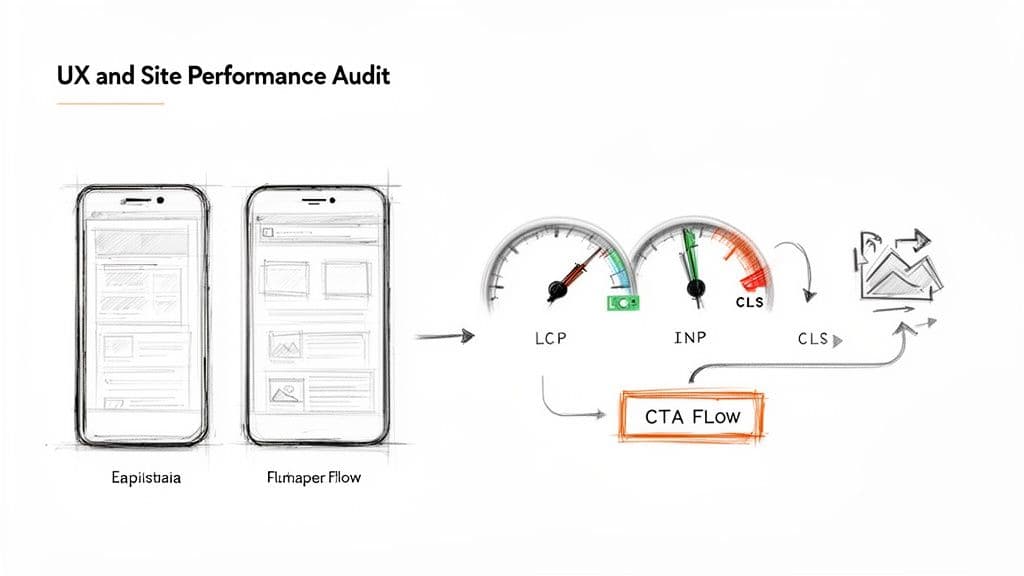
Getting your technical SEO right means the search engines can find and understand you. But that's only half the battle. Your site's actual performance and the user experience (UX) it delivers are what convince people—and, increasingly, Google—to stick around.
In the B2B world, where trust is everything and sales cycles are long, a clunky, slow-loading website is a deal-breaker. This is where we shift our focus from the crawlers to the actual human on the other side of the screen. We're hunting for the friction points that cause frustration, kill trust, and lead to a lost lead.
Interpreting Your Core Web Vitals
Your first port of call here should be Google PageSpeed Insights. It gives you a direct, unfiltered look at your Core Web Vitals, the key metrics Google uses to quantify real-world user experience. You need to know these inside and out.
- Largest Contentful Paint (LCP): In simple terms, how fast does your main content load? This is the time it takes for the largest visual element (like a hero image or headline) to appear. Anything under 2.5 seconds is where you want to be.
- Interaction to Next Paint (INP): This new metric is all about responsiveness. It measures the lag between a user's action—like clicking a button—and the visual feedback they get. A low INP makes your site feel alive and snappy.
- Cumulative Layout Shift (CLS): We've all experienced this. You go to click a button, and an ad loads, pushing the button down the page. CLS measures this visual instability, and a low score means your page is stable and predictable.
The best part about PageSpeed Insights is that it doesn't just give you a score; it hands you a to-do list. It will point out specific issues like oversized images, render-blocking resources, or unused code that are dragging your performance down.
Adopting a Mobile-First Mindset
It's 2024. Auditing your mobile experience isn't just a box to check—it's the whole game. With well over half of all web traffic coming from mobile, a design that shines on a desktop but fails on a phone is a failure, period.
Pop open your browser's developer tools and start living your site through the eyes of a mobile user. Emulate different devices, from an iPhone to a budget Android. Are the buttons big enough to tap without zooming? Is the text readable? Do pop-ups take over the entire screen with no obvious way to close them? These aren't minor annoyances; they are revenue killers.
Your mobile site isn't just a smaller version of your desktop site—it's the primary way many of your most valuable prospects will interact with your brand for the first time. Treat its performance and usability with the priority it deserves.
Assessing Your Conversion Funnels
A fast, beautiful site that doesn't convert is just a pretty brochure. For a B2B business, your website must be a machine for generating leads. That means auditing the paths you've laid out for users, from their first click to filling out that demo request form.
Think about the user's journey. Is your navigation logical? Are your calls-to-action (CTAs) clear and compelling? A smooth user journey is deeply connected to your site's structure, which in turn impacts your SEO. You can read our guide on site architecture for SEO to see how these critical pieces fit together.
This is where performance and UX have a direct, measurable impact on your bottom line. Data consistently shows that sites with clear trust signals can see 15% higher conversions. And considering 58% of all online searches are now mobile, a frictionless mobile funnel is non-negotiable. Learning how to monitor website performance effectively isn't just a technical task; it's a core business function for building a more efficient sales pipeline.
Future-Proofing Your Audit for AI Search
The old search engine results page is on its way out. With AI-powered search—think Google’s SGE or platforms like Perplexity—users are getting direct answers, not just a list of blue links. This means a modern website audit has to look beyond traditional rankings and start asking a new question: are we visible in this new answer-first world?
This shift adds a critical new layer to your audit. You're no longer just checking where you rank for a keyword. You're now investigating your brand's presence in the AI-generated responses themselves. The fundamental question has become, “When our ideal customer asks a critical question, does the AI mention us, our content, or our competitors?”
Auditing Your Presence in AI Answers
First things first, you need to compile a list of your most important, high-intent user questions. These aren't just keywords; they are the full questions your audience is actually typing or speaking into search engines. For a B2B SaaS company, this could be anything from, “What is the best software for tracking employee performance?” to “How do I improve team productivity with remote workers?”
With your list ready, start manually plugging these questions into various AI search interfaces. You're on a fact-finding mission, and your goal is to document a few key things for each query:
- Brand Mentions: Is your company's name mentioned directly in the AI's answer?
- Source Citations: Is your website content being cited as a source for the information?
- Competitor Mentions: Are your competitors showing up in the answer or citations instead of you?
- Information Gaps: Does the AI give a weak or incomplete answer that your content could easily improve upon?
This manual check will give you a brutally honest snapshot of your current AI visibility. Getting cited as a source is a good start, but having your brand named directly within the text as the go-to solution is the real win.
Auditing for AI visibility is really about tracking influence. If AI models consistently view your competitors as the primary source of truth in your niche, your brand becomes invisible to a huge, growing segment of searchers.
Structuring Content for AI Consumption
Once you've mapped out where you're invisible—or where competitors are dominating—it's time to adjust your content strategy. The goal is to make your content an irresistible source for AI models. This requires a specific set of tactics that go a step beyond classic SEO.
We often call this strategy Answer Engine Optimization, and it’s a non-negotiable part of any forward-thinking audit. You can get the full rundown by reading our guide on Answer Engine Optimization.
AI models are trained to find and synthesize information that is clear, factual, and gets straight to the point. As you audit your key pages, check if they follow these principles:
- Use a Direct Q&A Format: Structure your articles with H2s or H3s that are literal questions, then immediately follow them with a concise, direct answer. This formatting makes it incredibly simple for an AI to parse the information it needs.
- Highlight Factual Data: AI loves verifiable facts. Make sure your pages are loaded with clear data points, relevant statistics, and credible expert statements. Don't bury them in dense paragraphs; make them stand out.
- Signal Your Expertise: Use detailed author bios, structured data (like
PersonandOrganizationschema), and a strong internal linking strategy to send clear signals that your content comes from a trustworthy, authoritative source.
By weaving this AI-focused analysis into your regular audit process, you're doing more than just optimizing for today's search engines. You're actively future-proofing your entire content strategy, making sure your brand stays visible and authoritative no matter how search evolves.
Building Your Action Plan and Audit Process
An audit's real worth isn't in the data dump you end up with; it’s in the action it creates. You’ve just spent hours, maybe even days, digging through technical debt, uncovering content gaps, and identifying points of user friction. Now what? The final, and most critical, step is to transform that mountain of findings into a clear, prioritized roadmap.
Without a solid plan, even the most brilliant audit report is destined to become a digital paperweight.
The trick is to sidestep analysis paralysis. A simple but incredibly effective way to do this is to categorize every single issue you’ve found. I like to plot each task on a simple matrix based on two things: impact (how much it will actually move the needle on your KPIs) and effort (how much time, money, or developer sanity it will cost).
Once you do that, the path forward becomes crystal clear.
Prioritizing Your Fixes
Your first move should always be to tackle the high-impact, low-effort tasks. These are your quick wins—the low-hanging fruit that builds momentum and delivers immediate value. Think fixing broken internal links, rewriting a few crucial title tags, or compressing those massive images on your most important landing page.
With some early victories under your belt, you can turn your attention to the high-impact, high-effort projects. These are the bigger swings, like a major content overhaul or a deep dive into core web vitals. Getting buy-in from leadership for these larger initiatives is a whole lot easier when you’ve already shown them positive results from your initial fixes.
This process helps you not just fix today's problems but also prepare for what's coming next with search.
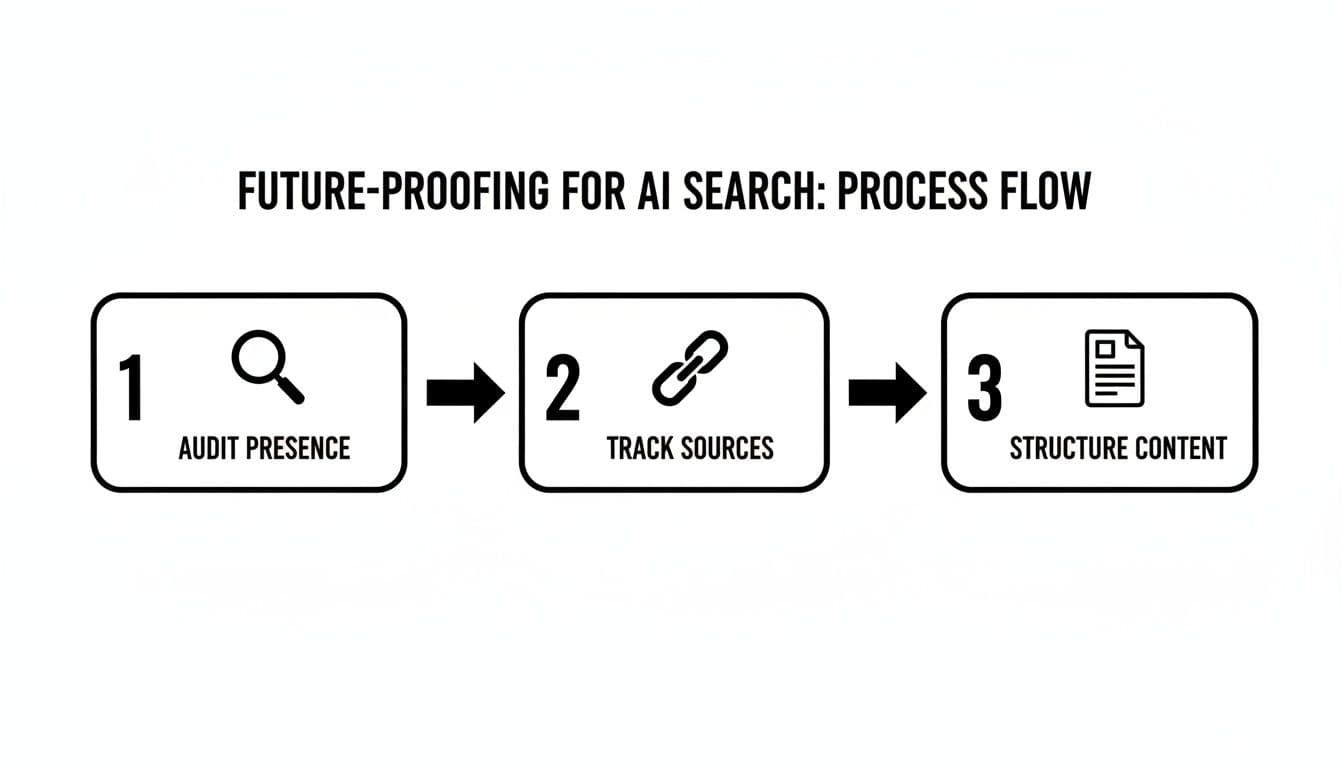
As you can see, a modern audit isn't just about finding what's broken. It's about proactively structuring your content so that it becomes a trusted source for AI-driven search engines.
Creating a Reusable Audit System
A one-off audit gives you a snapshot in time, but real, sustainable growth comes from having a repeatable system. Don't just file away your findings; turn them into a reusable checklist that's customized for your site's specific quirks and business goals. This document becomes your living guide for quarterly or semi-annual health checks.
An audit isn't a project; it's a process. When you systematize your checks, you shift from reactive firefighting to proactive optimization. Your website stops being a liability and starts becoming a peak-performing asset.
With 1.13 billion global websites all screaming for attention, methodical checks are non-negotiable. For B2B companies, where getting on page one can lead to 32.5% conversion rates, a recurring audit process is absolutely vital.
It helps you catch things like slow performance, which causes 79% of users to leave, before they do real damage. More importantly, it keeps you in a position to earn those top spots where the click-through rate is highest. By turning your audit into a scheduled, routine process, you ensure your website is consistently pulling its weight and supporting your business goals. You can read more about these and other eye-opening website statistics on Reboot Online.
Answering Your Lingering Questions
Even with a step-by-step guide in hand, a few questions always come up when you’re deep in the trenches of a website audit. Let’s tackle some of the most common ones I hear from B2B teams.
How Often Should I Really Be Doing This?
For most B2B sites, a full-blown, comprehensive audit every 6 to 12 months is the sweet spot. This cadence is frequent enough to catch technical gremlins before they become monsters and to stay aligned with Google's ever-shifting algorithms, but it won't completely derail your team's other priorities.
That said, don't just mark your calendar and forget about it. If you see a sudden, unexplained drop in traffic or rankings, it's time for an immediate check-up. The same goes for any major site changes—think a redesign, a CMS migration, or a massive content overhaul. A quick, targeted audit post-launch can save you from a world of hurt.
What Kind of Results Can I Realistically Expect?
Let's be clear: an audit itself doesn't fix anything. Its real value is creating a smart, prioritized roadmap for what to do next. In the short term, say the first 1-3 months, you should be banking some quick wins. Think better page speed from finally compressing those hero images or a jump in click-through rates after rewriting a batch of stale meta descriptions.
The bigger, more impactful results tend to show up after about 6 months of consistent work. This is where you'll see sustained ranking improvements for your money-making keywords, a tangible lift in qualified organic leads, and healthier engagement metrics across the board. The goal here is steady, cumulative growth, not a one-time magic trick.
An audit isn't a one-and-done project. It's the diagnostic tool that fuels your entire ongoing optimization strategy. The real payoff comes from methodically acting on what you find, month after month.
Help! How Do I Audit a Massive Enterprise Website?
Tackling a site with tens of thousands of pages can feel like trying to boil the ocean. The key is to stop thinking of it as one giant audit. You have to break it down and conquer it in sections.
Here’s how we approach it:
- Audit by template: Instead of crawling 5,000 product pages, audit the product page template. Fixes there will cascade across all of them. Do the same for blog posts, solution pages, and other key templates.
- Audit by business unit: If your site is structured around different divisions or product lines, audit one complete section at a time. This gives each business unit a focused, actionable report.
- Prioritize high-value areas first: Don't start with the "About Us" section from 2008. Go straight for the pages that drive the most revenue and leads. Fix those first and build momentum.
This segmented strategy turns an overwhelming task into a series of manageable projects, making it far easier to get buy-in and show progress.
Ready to see how your brand appears in AI-driven search? Attensira provides the tools to monitor your visibility in AI responses, identify content gaps, and optimize your strategy to stay ahead. Start tracking your AI presence today at https://attensira.com.