



Learn how to do a site audit with our comprehensive guide. Discover how to fix technical SEO issues, improve content, and boost user experience for B2B success.
Before you even think about crawling a single URL or looking at a line of code, a successful B2B site audit starts with a solid game plan. This prep work is the difference between aimlessly collecting data and creating a genuine roadmap for business growth.
Setting the Stage for an Impactful B2B Site Audit
Let's be clear: diving straight into technical checks without a plan is a recipe for wasted time. The first—and most critical—step is to define what success actually looks like for this specific audit. Are you on a mission to hunt down technical gremlins tanking your rankings? Or is the bigger prize figuring out why your content isn't connecting with your ideal B2B buyers?
Your answer to that question sets the entire scope. For instance, if lead generation has fallen off a cliff, your audit should zero in on conversion pathways, lead magnets, and calls-to-action. On the other hand, if a competitor is eating your lunch in the SERPs, the focus shifts to a deep dive into their backlink profile and a thorough content gap analysis.
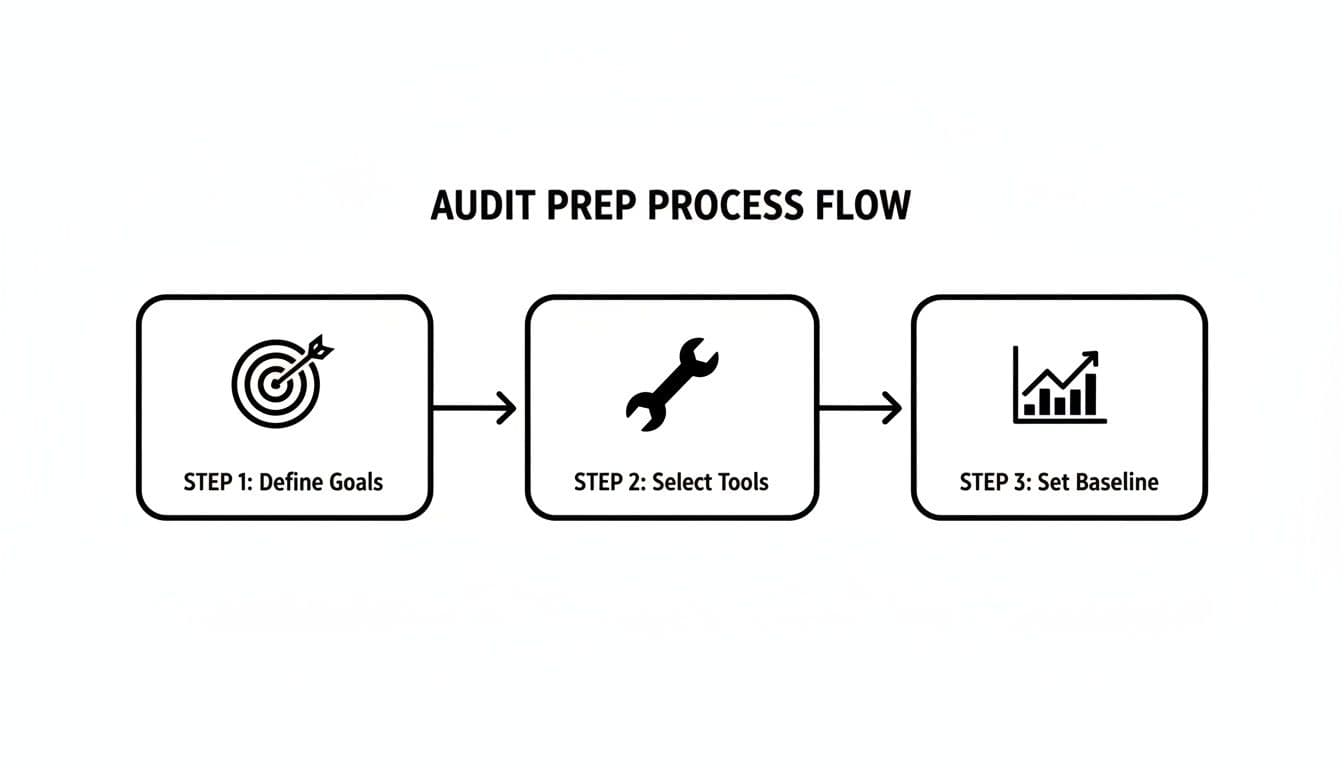
Establishing Your Tools and Baselines
With clear goals in hand, it's time to assemble your toolkit. You don't need every shiny new tool on the market, but you do need the right ones for the job.
Having a well-rounded set of tools ensures you can cover all your bases, from the deeply technical to the high-level strategic. I've found that organizing your toolkit by function is the most effective approach.
Your Essential B2B Site Audit Toolkit
This lineup gives you the visibility you need to conduct a truly thorough investigation.
The final piece of the puzzle before you start is capturing your baseline metrics. This is non-negotiable. You need a "before" snapshot to prove your work made a difference. Document everything: current organic traffic, rankings for your top 10-20 target keywords, conversion rates on key forms, and bounce rates on important pages. This data is your ultimate proof of ROI.
A site audit is more than a checklist of technical fixes. It's a strategic assessment that aligns your digital presence with core business objectives, ensuring every optimization pushes the needle on what truly matters—not just vanity metrics.
Remember, organic search drives a staggering 53% of all website traffic, so connecting these audit steps back to keyword performance and user experience is crucial. Exploring what's included in comprehensive digital marketing audit services can also provide a great framework for what a full-scale analysis should cover. This groundwork transforms your audit from a reactive chore into a proactive strategy for real growth.
Getting Your Hands Dirty with a Technical SEO Health Check
Alright, let's pop the hood and look at your site’s engine. A technically sound website isn't just a "nice to have"—it's the absolute foundation of any real SEO strategy. You'd be surprised how often a seemingly small technical glitch can create a massive roadblock for your rankings. This is where we get practical, spotting and fixing the common issues holding B2B sites back.
Before we dive in, it’s worth remembering that everything we're about to do is built on foundational Search Engine Optimization principles. These concepts dictate how search engines find, understand, and ultimately rank your content. Without a solid technical base, even the most brilliant content marketing campaign will fall flat.
First Things First: Can Search Engines Even See Your Site?
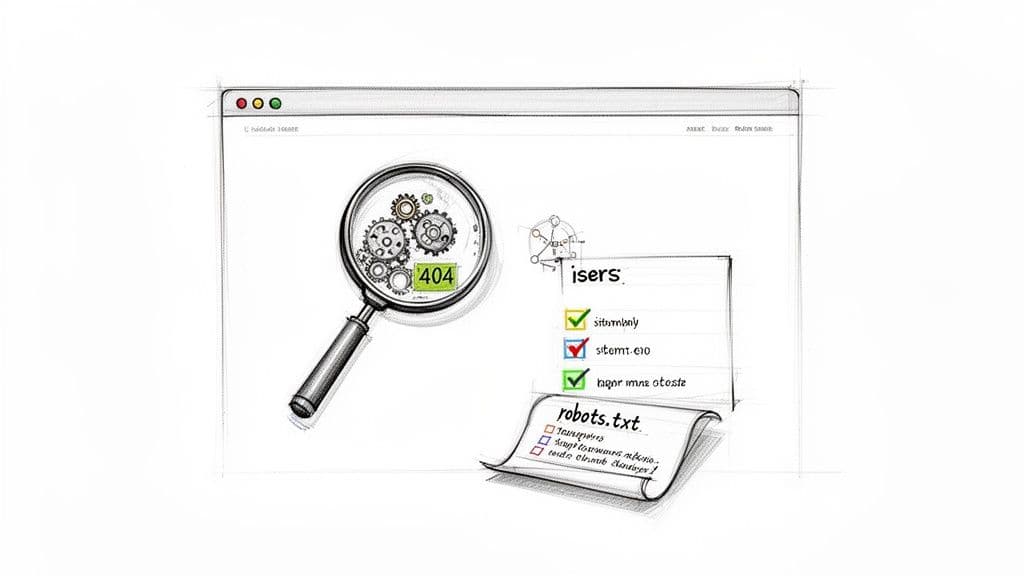
This might sound basic, but you have to confirm that search engines can actually find and read your website. If they can't, you're invisible. Two little text files are the gatekeepers here: robots.txt and your XML sitemap.
- Check Your Robots.txt: Think of this file as a bouncer at a club, telling search engine bots where they can and can't go. I've seen it happen countless times: a single, overly restrictive
Disallowdirective accidentally blocks crawlers from critical sections like the blog or product pages. Always check this file first. - Tune Up Your XML Sitemap: Your sitemap is the map you hand-deliver to search engines, showing them all the important URLs you want them to index. Make sure it’s clean—no errors, no non-canonical URLs, no redirects. Once it's pristine, ensure it’s submitted in Google Search Console.
If you really want to understand how search engines interact with your site on a granular level, the next step is to get into your server logs. For a truly advanced perspective, analyzing log files will show you exactly which pages Google is crawling, how often, and which ones it's ignoring.
Think about this: 90.83% of global search traffic still comes from Google. This staggering number is why your audit must begin with indexing and crawlability checks. It's also why tools like Google Search Console are non-negotiable. Data from these tools shows that only about 33% of sites fully hit their Core Web Vitals targets, a metric that directly impacts search performance. And for B2B, mobile can't be an afterthought—in 2023, a massive 83.64% of global visits to top websites came from mobile devices. You can dig into more of this data in recent search engine market share reports.
Digging into Core Technical Problems
Once you've confirmed the doors are open for crawlers, it’s time to hunt down the errors that hurt user experience and confuse search engines. This is where a good crawling tool is your best friend.
Google Search Console gives you a fantastic high-level view of your site’s indexing status and flags any coverage issues Google has found.
This dashboard is your mission control. It’s a direct line to how Google sees your site, breaking down pages into categories: those with errors, those that are valid, and those that are excluded for one reason or another.
Drilling down into the "Pages" report will show you which specific URLs are indexed and which have problems, like being blocked by that pesky robots.txt file or tagged with a 'noindex' directive.
The real skill here isn't just finding errors; it's spotting the patterns behind them. A single misconfigured plugin can spawn hundreds of duplicate content issues or broken links. Fixing the root cause is always more efficient than playing whack-a-mole with individual symptoms.
From my experience, a few common culprits do the most damage:
- Broken Links (404s): These are dead ends for users and crawlers alike. They kill user experience and waste valuable link equity that should be flowing through your site.
- Redirect Chains: When URL A redirects to B, which then redirects to C, you're slowing everything down and potentially weakening ranking signals. The goal should always be a single, clean 301 redirect.
- Duplicate Content: This is often an unintended consequence of URL parameters used for tracking or filtering. It splits your authority and forces search engines to guess which page to rank. Proper use of canonical tags is the definitive fix here.
By methodically working through these foundational elements, you're doing more than just checking boxes. You’re building a rock-solid technical infrastructure. This is the framework that allows all your other content and off-page efforts to achieve their full potential. It's a disciplined, non-negotiable part of any site audit that aims for real business results.
Diving Into Your On-Page and Content Performance
Alright, with the technical housekeeping out of the way, we can shift our focus from the site's plumbing to what your audience actually sees and interacts with: your content. This phase of the audit goes way beyond just checking off a list of keywords. It's about taking a hard, honest look at how well your pages are actually serving your audience and signaling your expertise to search engines.
At the end of the day, it all boils down to one powerful question: does your content truly align with search intent? Think about it. Someone searching for "project management software comparison" is in a completely different mindset than someone searching "what is agile methodology." If your content doesn't nail the why behind the search, it's just not going to rank or resonate.
Assessing the Core On-Page Elements
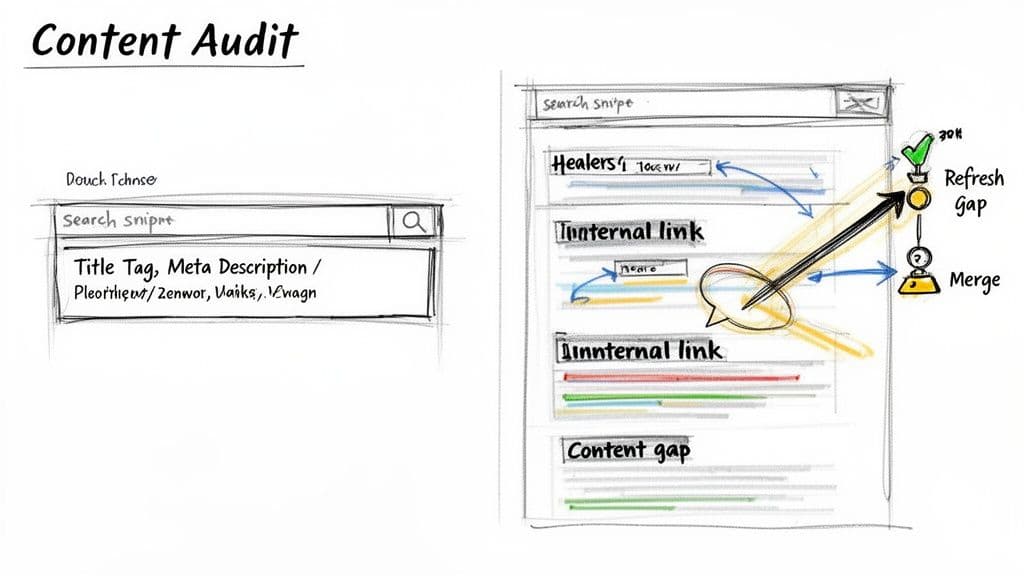
First things first, let's get the foundational on-page SEO components sorted. These are the signposts that tell both users and search crawlers what your pages are all about. A quick crawl with a tool like Screaming Frog is my go-to for pulling all this data into a single, manageable spreadsheet.
I always start by reviewing these critical elements on a site's most important pages:
- Title Tags: Are they unique? Compelling? Do they stay under the 60-character sweet spot? Most importantly, is the primary keyword placed naturally near the beginning?
- Meta Descriptions: They aren't a direct ranking factor, but they function as your ad copy in the search results. They need to be unique, persuasive, and stick to around 155 characters to avoid getting cut off.
- Header Structure (H1, H2s): This is non-negotiable. Every page needs one—and only one—H1 tag that clearly states the page topic. From there, H2s and H3s should break down the content into logical, scannable sections.
- URL Slugs: Keep them short and descriptive. A URL like
/blog/on-page-seo-auditis infinitely better than a messy, system-generated one like/blog/post?id=123.
Fixing these is often the low-hanging fruit of any audit. These are quick wins that can give you a noticeable bump in click-through rates and help search engines better understand your content.
Evaluating Content Quality and E-E-A-T
Beyond the basic tags and structures, the real substance of your content is what builds authority. In the B2B world, demonstrating Experience, Expertise, Authoritativeness, and Trustworthiness (E-E-A-T) is everything. Your audit has to dig into how well your content actually accomplishes this.
For your key service pages and blog posts, start asking some tough questions:
- Is the Information Accurate and Current? Are you still citing stats from 2018? B2B buyers are incredibly sharp; stale information is a trust-killer.
- Does It Demonstrate Real Expertise? Is the content offering a unique perspective or proprietary data? Or is it just another article rehashing the same talking points everyone else is?
- Are Author Credentials Clear? If you have genuine subject matter experts writing your content, show them off. A simple author bio with a link to their LinkedIn profile can add a huge amount of credibility.
Your content isn't just a vehicle for keywords; it's a direct reflection of your company's expertise. An audit that only looks at technical on-page factors misses the most important part of the equation: whether your content is actually good enough to earn a customer's trust.
This process will undoubtedly shine a light on pages that are falling short. You’ll find thin content, outdated articles, and topics where your competitors are frankly just doing a better job. This is exactly what you want—it’s how you find your opportunities.
Uncovering Content Gaps and Underperformers
A huge piece of any content audit is figuring out what’s missing. You need to find the valuable topics your competitors are ranking for that you haven’t even touched. This is called a content gap analysis, and it's an absolute goldmine for finding content ideas that already have a proven audience. In fact, performing a detailed SEO content gap analysis is a critical step to ensure you aren't leaving valuable organic traffic on the table.
Once you know where the gaps are, you can turn your attention back to your existing content. Dive into Google Analytics and Search Console to spot pages with high impressions but stubbornly low clicks, or pages that get traffic but never convert. These are your underperformers, and they need a game plan.
For each of these pages, you essentially have three options:
- Refresh: Update the article with fresh information, add new visuals, and tighten up the on-page SEO.
- Consolidate: If you have several weak pages on the same topic, combine them into one definitive, comprehensive resource.
- Remove: If a page is low-quality, irrelevant, and gets zero traffic, it might be actively hurting your site. Sometimes the best move is to cut it and redirect the URL to a better page.
By systematically working through your on-page elements, E-E-A-T signals, and content gaps, you start to transform your website from a simple collection of pages into a strategic asset that actually builds authority and drives your business forward.
Looking Beyond Your Domain: Evaluating Off-Page Authority and Backlinks
An audit that stops at the edges of your own website is only telling you half the story. To really get a sense of where you stand, you have to look outward. Your backlink profile is basically the internet’s vote of confidence in your brand—a collection of third-party endorsements that signal authority and credibility. This part of the audit is less about counting links and more about weighing their actual impact.
Why does this matter so much? Because links are still a massive ranking signal. One 2023 study found that Google's top result had, on average, 3.8 times more backlinks than the pages ranking second through tenth. On top of that, those top spots also had 3.2 times more referring domains. The data doesn't lie: uncovering a weak backlink profile isn't a failure, it's a huge opportunity. You can find more stats on the importance of backlinks in SEO that really drive this point home.
Sorting the Good Links from the Bad
Let's be clear: not all backlinks are created equal. A single, authority-building link from a well-respected industry journal is worth more than a hundred low-quality links scraped from irrelevant directories. Firing up a tool like Ahrefs or Semrush is the first step to analyzing your profile with a critical eye.
You’re looking for signals of a quality link:
- Domain Authority (DA) or Domain Rating (DR): Higher scores from the linking site are a good sign of a powerful, authoritative link.
- Relevance: A link from a site that operates in your niche is exponentially more valuable than one from a completely unrelated industry.
- Traffic: Does the linking page actually get visitors? A link from a high-traffic page can send you valuable referral visitors, which is a great signal on its own.
At the same time, you have to play defense and hunt for toxic links. These are the ones coming from spammy sites, private blog networks (PBNs), or sketchy paid link schemes. A flood of these can actively damage your rankings and could even land you a manual penalty from Google. Finding them is the first step toward a proper cleanup.
Understanding Your Anchor Text Distribution
The anchor text—that clickable text in a hyperlink—tells search engines what your page is about. A natural, healthy profile has a diverse mix of anchor text, with a strong focus on your brand.
As you audit your links, start categorizing the anchor text you see:
- Branded: Anchors that use your company name (e.g., "Attensira").
- Naked URL: The link is just the URL itself (e.g., "https://attensira.com").
- Generic: Vague, non-descriptive phrases (e.g., "click here," "read more").
- Exact Match: The anchor is the specific keyword you're trying to rank for.
If your profile is overloaded with exact-match anchors, it looks unnatural and manipulative to search engines. A healthy profile is almost always weighted heavily toward branded anchors—that’s just how real people link to sites they trust.
How Do You Stack Up Against the Competition?
Looking at your own profile is important, but the real gold is in benchmarking it against your top competitors. This is where you can reverse-engineer their link-building strategies and spot high-authority domains that link to them but not to you.
This competitive analysis gives you a ready-made list of link-building targets. Think about it: if a respected industry blog has already linked to three of your competitors, they're probably open to linking to your amazing content, too.
Once you have the full picture—the health of your own profile and the strategies of your rivals—you can build a real action plan. This means creating a strategy to earn high-quality links while also dealing with the toxic ones. If you found a pattern of harmful links, creating and submitting a disavow file via Google Search Console is a must. For a deeper dive into winning new links, our guide on how to find links to your website is a great next step.
Analyzing User Experience and Conversion Pathways
Getting to the top of the search results is a fantastic feeling, but it's only half the job. If a potential client finds you, clicks through, gets confused, and immediately hits the back button, all that hard work was for nothing. User experience (UX) and SEO are two sides of the same coin; a site that’s a pain to use isn't going to keep its rankings for very long.
This is where the audit shifts from getting traffic to keeping it. We need to put ourselves in the user's shoes and see the site through their eyes, starting with the technical signals Google uses to size up that experience.
Evaluating Core Web Vitals and Mobile Friendliness
Your site’s performance is the first handshake. A slow, clunky experience is a major turn-off, and Google knows it. In fact, some studies show a staggering 88% of users are less likely to return to a site after a bad first impression.
The first place to look is your Core Web Vitals. These are the three specific metrics Google has staked its claim on to measure real-world user experience:
- Largest Contentful Paint (LCP): How fast does the most important stuff load? You’re aiming for under 2.5 seconds.
- Interaction to Next Paint (INP): How quickly does the page react when someone clicks or taps? Lag is a killer.
- Cumulative Layout Shift (CLS): Do things jump around on the screen while the page is loading? This is pure frustration for users trying to click something.
Tools like Google PageSpeed Insights will give you a straight-up report card on these metrics. Fixing what it flags—like compressing massive images or cleaning up your code—builds a much stronger foundation for a good user experience. While you're at it, double-check that your mobile experience is perfect. So much B2B research starts on a phone these days that a non-responsive design just isn't an option anymore.
A seamless user experience isn't just a "nice-to-have" design goal; it's a hard-nosed SEO factor. When people stick around longer and interact more, it sends powerful signals to search engines that your site is delivering the goods.
Auditing Navigation and Information Architecture
Okay, the site is fast. Now, can people actually find what they need? If a prospect with a very specific problem can't quickly find the page detailing your solution, you've lost them. A confusing site structure is a conversion killer.
I like to start with a simple "five-second test." Pull up your homepage and a few key landing pages. Can a first-time visitor figure out what you do and where they should go next in about five seconds? If you have to hesitate, your navigation needs rethinking.
From there, dig into your information architecture—the way all your content is organized and labeled.
- Is the main menu actually clear? Ditch the vague, jargon-filled labels. Think about the words your actual customers use, not your internal team.
- How many clicks to get to the good stuff? Your most important service pages shouldn't be buried four or five clicks deep in the site.
- Is there a clear journey for different visitors? For instance, a B2B tech company should have obvious pathways for a small business owner versus an enterprise-level decision-maker.
Analyzing Calls-to-Action and Conversion Pathways
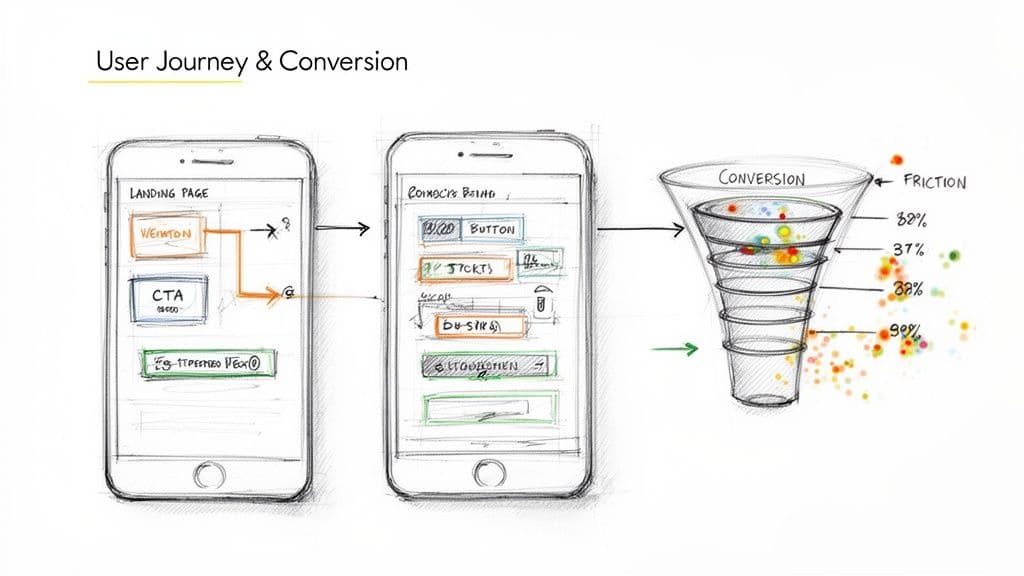
Finally, every single page should gently nudge the user toward a specific next step. This is where your calls-to-action (CTAs) come into play. Are they obvious? Compelling? In the right places?
Go through your key pages and ask yourself:
- Can I see the main CTA right away? Don’t make people search for the "Request a Demo" button. It should be unmissable.
- Is the language active? "Get Your Free Quote" is so much more powerful than a passive "Submit."
- Are there roadblocks in the way? A contact form with 15 fields is a guaranteed way to lose someone's interest. Keep it as short and painless as possible.
This is where analytics and user behavior tools like Hotjar or Clarity are invaluable. Heatmaps can show you exactly where people are getting stuck or giving up. Fixing these friction points is one of the most direct ways an audit can impact the bottom line, turning that hard-won search traffic into real business opportunities.
Creating Your Actionable Audit Report and Roadmap
Let’s be honest: the real value of an audit isn't in the massive spreadsheet of data you've just compiled. It’s in the change it actually creates. A dense, technical report that just sits in a shared drive, gathering digital dust, is a complete waste of everyone's time. The final, and most critical, step is to turn all those findings into a clear, prioritized action plan that people will actually use.
The trick is to frame your report for different audiences. Your CEO doesn't need to know the nitty-gritty details about redirect chains, but your lead developer absolutely does. Tailoring the presentation ensures your hard work connects with every stakeholder, from the C-suite right down to the trenches.
Structuring Your Findings for Maximum Impact
A one-size-fits-all report is guaranteed to fail. You need to break it down into distinct sections that speak directly to the person reading them. This modular approach makes the information much easier to digest and immediately useful for each team.
I’ve found that every solid audit report needs these components:
- Executive Summary: This is your one-page shot for leadership. It needs to be punchy. Highlight the top 3-5 most critical issues, translate them into business impact (like lost traffic or tanking conversion rates), and outline the expected ROI from fixing them.
- Thematic Findings: Instead of a long, boring list of problems, group your discoveries into logical themes. Think "Technical Debt," "Content & Authority Gaps," or "UX Friction Points." This approach tells a much clearer story.
- Detailed Recommendations: Here's the core of the report. For every single issue, you must provide a clear "what, why, and how" explanation, list the specific URLs affected, and define the exact next step for the team responsible.
Prioritizing Your Action Items
You've probably uncovered dozens, maybe even hundreds, of issues. If you just hand over that list, you'll create instant overwhelm and nothing will get done. This is where a prioritization matrix becomes your best friend. It’s the most effective way I know to decide where to focus resources for the biggest returns.
It's simple. Plot every task on a four-quadrant grid based on just two factors: Impact (how much will this actually improve performance?) and Effort (how much time and how many people will this take?).
This exercise immediately clarifies your path forward:
- High-Impact, Low-Effort (Quick Wins): These are no-brainers. Do them now. We're talking about fixing broken internal links, optimizing a few critical page titles, or updating a sitemap.
- High-Impact, High-Effort (Major Projects): These are the big, strategic initiatives. Plan for these in the next quarter. This could be a full site speed overhaul or a major content pruning and consolidation project.
- Low-Impact, Low-Effort (Fill-in Tasks): Slot these in when developers have downtime. They're good to fix but aren't going to move the needle in a big way.
- Low-Impact, High-Effort (Reconsider): Seriously question if these are even worth the trouble. They often represent a massive resource sink for a tiny, barely measurable return.
The goal of a site audit report is not to be a perfect, exhaustive document. Its purpose is to be a catalyst for smart, prioritized action that measurably improves your site’s performance and contributes to overarching business goals.
By translating your data into a strategic roadmap like this, you elevate the audit from a simple technical checklist to a powerful tool for growth. From here, you can assign clear ownership for each task, set realistic timelines, and define the key performance indicators (KPIs) you'll use to track success. This is how you turn a static document into a living plan that delivers real, tangible results.
Answering Your Top Site Audit Questions
Even with the best plan, you're bound to have some questions as you dive into your first few site audits. It’s completely normal. Let’s tackle a couple of the most common ones I hear from B2B teams.
How Long Does a Site Audit Take?
This is the classic "it depends" answer, but it's true. The timeline for an audit is all about scale and scope.
If you're looking at a small website, say around 50 pages, you could probably knock out a solid basic audit in 10-15 hours. But for a sprawling enterprise site with thousands of URLs, you're realistically looking at a multi-week project, often stretching from four to six weeks to do it right.
The biggest variable is how deep you need to go. A quick technical scan is one thing, but a truly comprehensive audit that digs into content quality, backlink toxicity, and complex user journeys is a much bigger beast.
How Often Should I Perform a Site Audit?
There's no single magic number here, but establishing a consistent rhythm is the key to staying ahead of problems before they impact your traffic and conversions.
Here’s a practical schedule I recommend:
- The Full Deep-Dive: Plan on doing one massive, all-encompassing audit annually. This is your chance to align with yearly business goals and uncover any systemic issues that have crept in.
- Quarterly Check-Ins: Every three months, run smaller, more focused "mini-audits." You might zero in on Core Web Vitals one quarter and perform a backlink health check the next.
- Always-On Monitoring: Use automated tools for a daily pulse check on your site's health. This is your early warning system for critical errors, like a sudden flood of 404 pages or server issues.
Think of your annual audit as a full physical exam with a specialist. The quarterly check-ins and daily monitoring are like keeping an eye on your blood pressure and diet—both are essential for long-term health and catching problems early.
Consistency is everything. If you wait until your traffic has already tanked, you're playing defense. Regular audits put you in a proactive position, keeping you firmly in control of your site's performance. Whatever you do, don't let years go by between comprehensive reviews.
Is your brand visible in the new world of AI search? Attensira provides the actionable insights you need to monitor and optimize your presence in AI-generated answers. See how you appear across major AI platforms and get content recommendations to boost your visibility. Start tracking your AI presence today.